 Amana AI
Built for every learner
Extra-large text, dyslexia-friendly spacing, high contrast, Read Aloud and screen-reader support, in Arabic and English.
Amana AI is designed so that students with special needs learn in the same app as everyone else. Today that means extra-large text, dyslexia-friendly spacing, high contrast, reduced motion, a Read Aloud button in Arabic and English, and support for screen readers. We are straight about what is not finished: we have not yet tested with blind or Deaf students, and we do not claim full compliance with any accessibility standard.
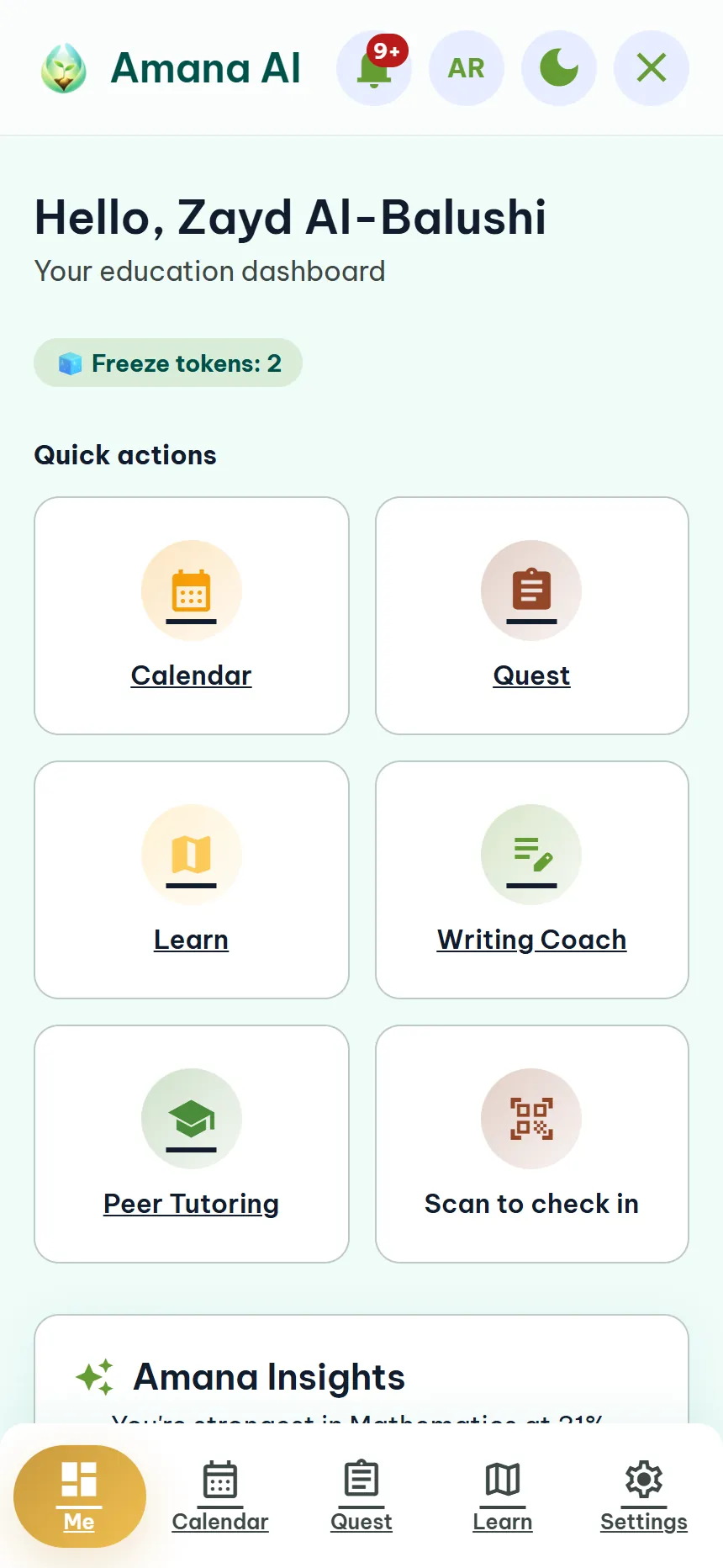
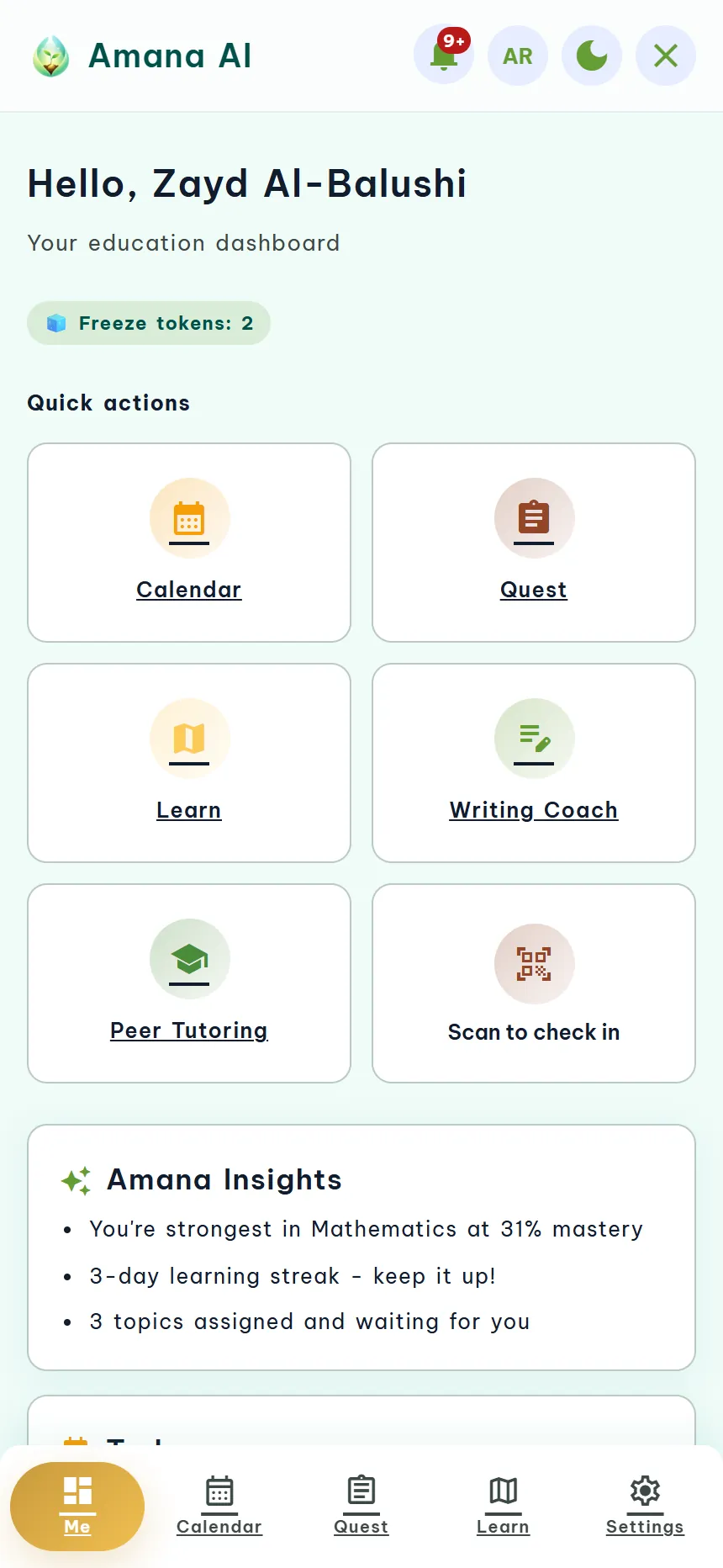
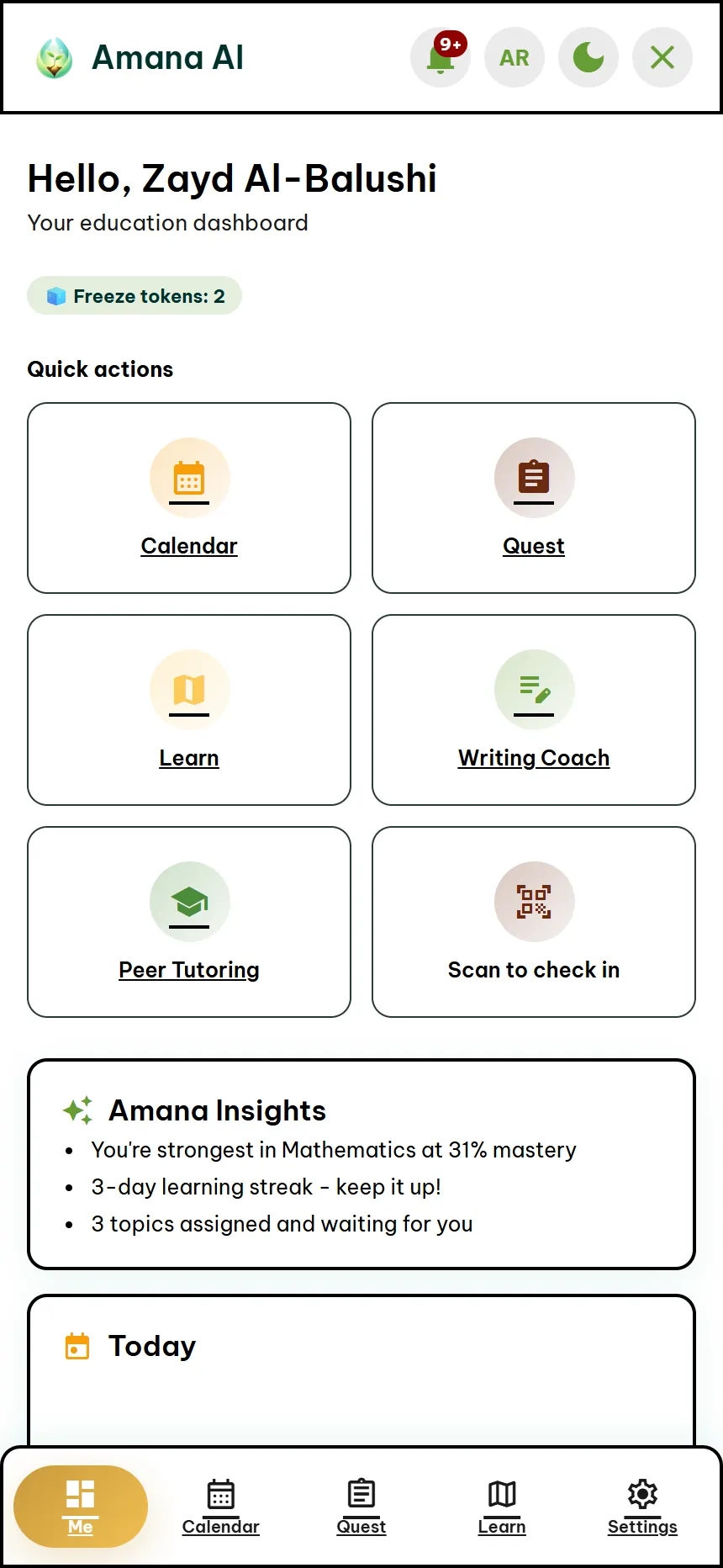
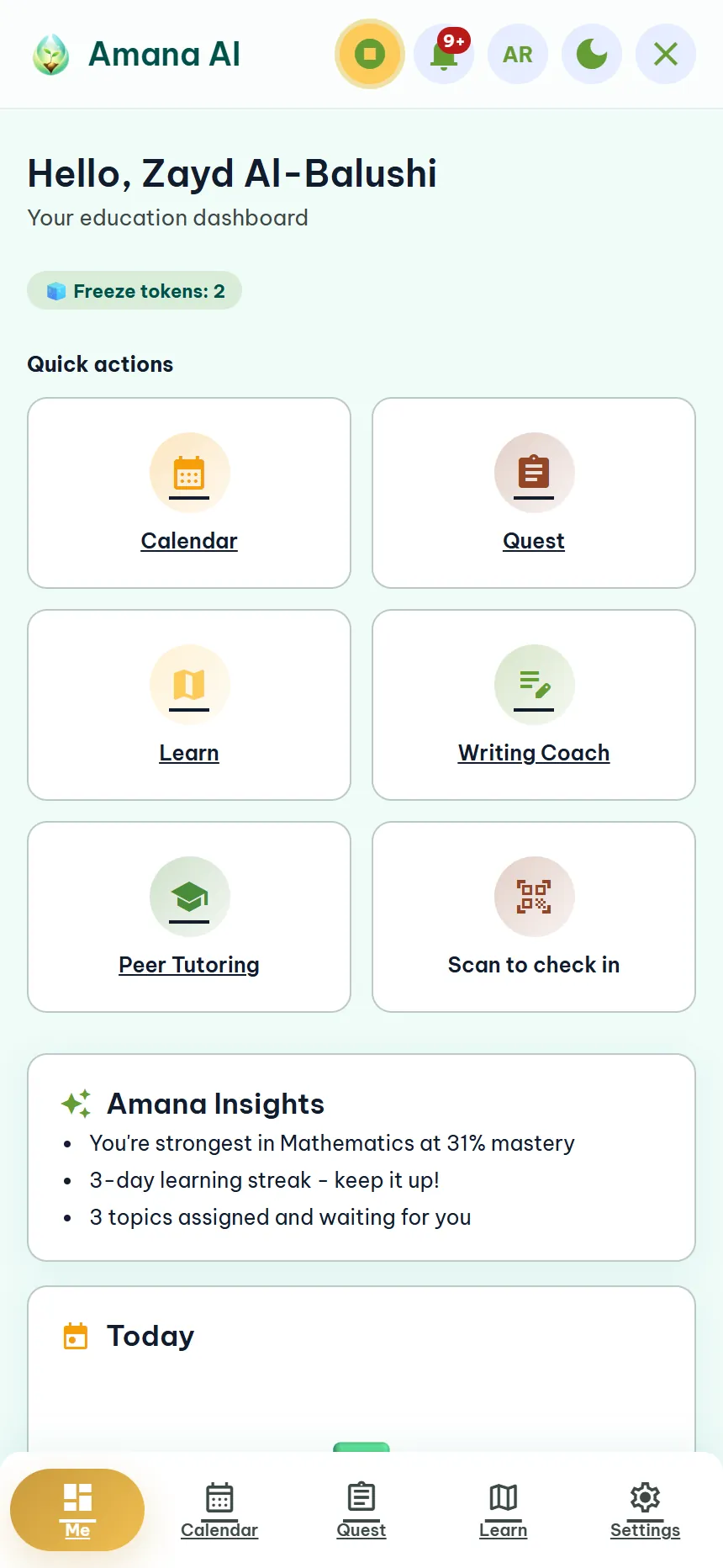
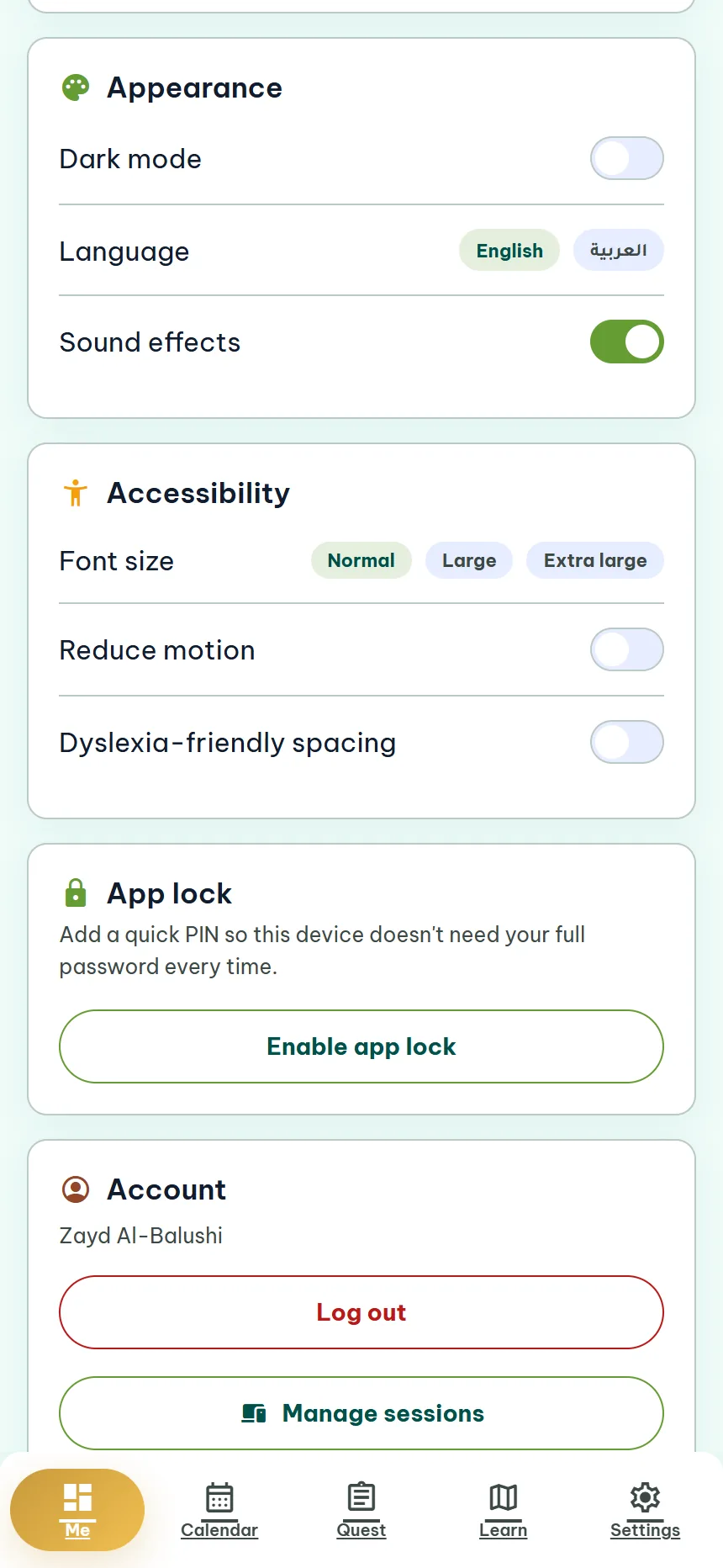
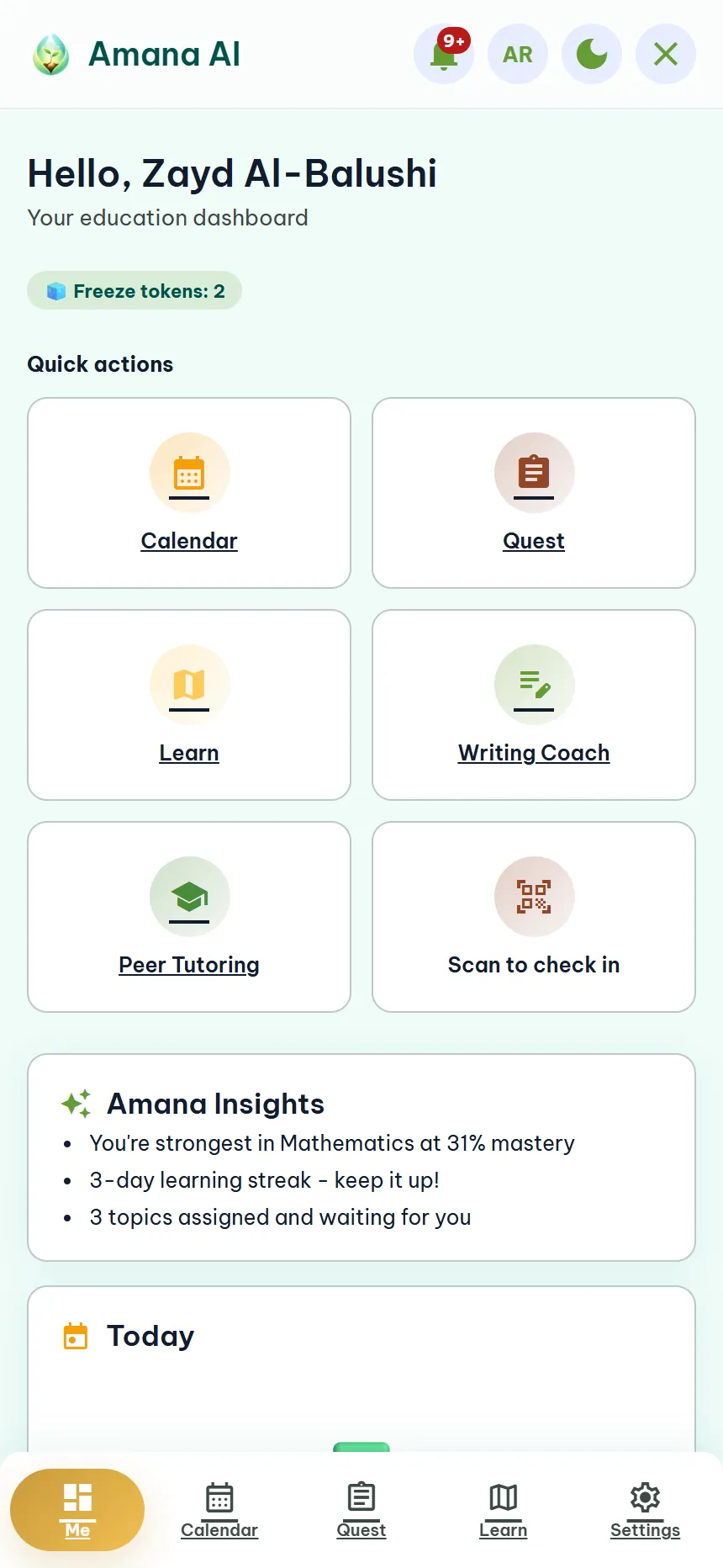
Four settings that change how Amana AI feels
These are screens from the real app, set to each option. They apply to every page and are remembered on that device.
What helps whom
Low vision
Extra-large text scales the whole app. High contrast strengthens text, borders and keyboard focus, in light or dark mode.
Dyslexia and reading difficulties
Dyslexia-friendly spacing, plus a Read Aloud button on every page and every tutor reply, in Arabic or English.
Blind and screen-reader users
Named buttons and switches, page landmarks, a skip link and visible keyboard focus. Testing with blind and visually impaired students is planned, not done.
Attention and motion sensitivity
Reduced motion switches animation off. The tutor guides one question at a time, and quests turn homework into a simple checklist.
Deaf and hard of hearing
Amana AI is text-first, so no audio is needed to use it. Our tour videos have captions in English and Arabic. Signed lessons are planned.
Two languages, both directions
A full right-to-left Arabic layout and English, one tap apart, so a learner can use the language they think in.
Choose once, and the app remembers
- Open SettingsFrom the tab bar in the student app.
- Find AccessibilityText size, reduced motion, dyslexia-friendly spacing, high contrast and Read Aloud.
- Pick what helpsChanges apply straight away across every page and stay on for next time on that device.
A parent can set this up with a child on the first day. Dark mode and the language switch sit in the same place.
Accessibility in the two-minute tour
The overview shows large text, dyslexia spacing, high contrast and Read Aloud in the real app. It has captions in English.
Honest about what is not done yet
Testing with the people it is for
We plan to test with blind and visually impaired students on real screen readers and braille displays, and to fix what they find. We have not done this yet.
Signed lessons
Short signed lessons made with Omani Sign Language interpreters, for Deaf and hard of hearing students. Planned, not built.
We do not claim compliance with any accessibility standard, such as WCAG, because the app has not had an independent audit. If something in Amana AI does not work for your learner, tell us. It goes straight onto the list.
Questions
Is Amana AI accessible for students with special needs?
Today the app offers extra-large text that scales the whole interface, high contrast in light or dark, dyslexia-friendly spacing, reduced motion, a read-aloud button for every page and tutor reply in Arabic or English, and screen-reader support with named controls, page landmarks, a skip link and visible keyboard focus. Next we plan to test with blind and visually impaired students on real screen readers and braille displays, and to add short signed lessons with Omani Sign Language interpreters. We have not yet tested with those users, so we are not claiming full compliance with any accessibility standard.
Does Amana AI work in Arabic?
Yes. The whole app works in Arabic and English with a full right-to-left layout, and you can switch language with one tap. It also includes a dark mode, extra-large text that scales the whole app, high contrast, reduced motion, dyslexia-friendly spacing and a read-aloud option.
Tell us what your learner needs
Join the waitlist and tell us about your learner or your school. We read every message, and what you share shapes what we build next.
- Free to startThe Starter plan needs no card.
- Parents stay in the loopProgress and safety signals from day one.
- Arabic and EnglishWith a full right-to-left layout.